How to Repurpose One Long Video Into 20 Pieces of Content
A step-by-step repurposing workflow that turns a single long video or podcast episode into clips, posts, a newsletter, and a blog article without extra filming.
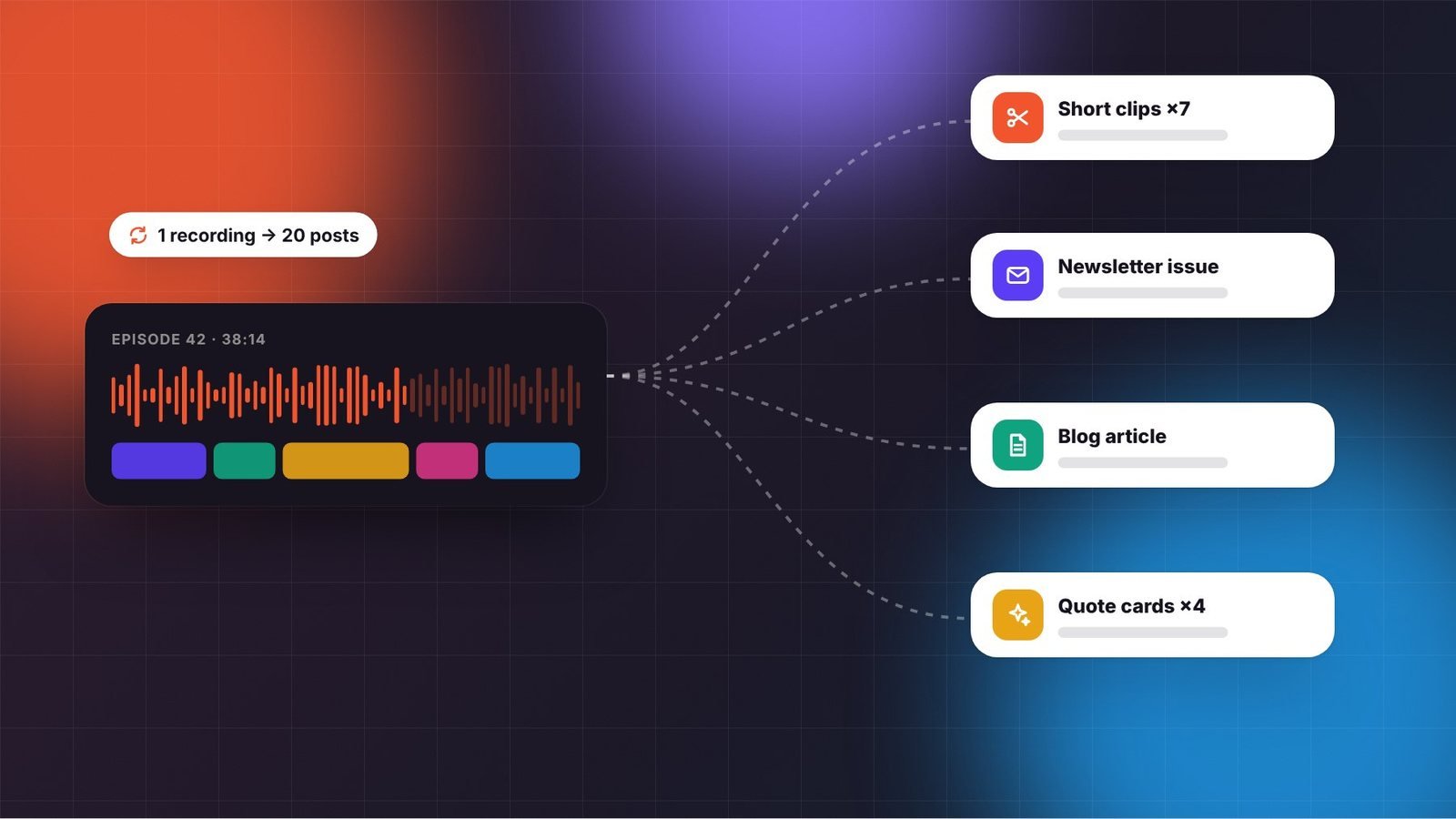
Creating something new for every platform is a fast path to burnout. The most efficient creators work from a “pillar” piece, usually a long video, podcast episode, or in-depth article, and spin it into many smaller pieces tailored to each channel. One recording session can fuel a week or more of publishing.
Here’s a practical workflow to turn one long video into roughly 20 pieces of content, plus tips for doing it without your feeds feeling repetitive.
Key takeaways
- Plan for repurposing before you record, not after.
- Adapt each piece to its platform; don’t just paste the same thing everywhere.
- Use timestamps and transcripts to find your best moments quickly.
Start with a strong pillar
Repurposing only works if the original has substance. Your pillar piece should be at least 15 minutes, cover one clear topic in depth, and include several distinct points, stories, or examples. Interviews, tutorials, and opinion-driven deep dives tend to repurpose especially well because they naturally contain quotable moments.
Plan for it while filming. Deliver key points as self-contained thoughts that make sense without context. Pause briefly between sections so editors can cut cleanly. Record a few vertical-friendly moments if your setup allows, or frame your shot with enough headroom to crop to 9:16 later.
The 20-piece repurposing map
| Format | How many | Where it goes |
|---|---|---|
| Short vertical clips | 5–7 | YouTube Shorts, TikTok, Instagram Reels |
| Quote or insight graphics | 3–4 | Instagram, LinkedIn, Threads, Pinterest |
| Text posts or threads | 3 | LinkedIn, X, Threads |
| Carousel | 1–2 | Instagram, LinkedIn |
| Newsletter issue | 1 | Your email list |
| Blog article | 1 | Your website, for search traffic |
| Audio episode | 1 | Podcast feed (if the content works without visuals) |
| Community post or poll | 1–2 | YouTube Community, Discord, membership platform |
Step 1: Get a transcript
A transcript is the foundation of efficient repurposing. Most editing tools and many AI services generate one in minutes. Skim it and highlight:
- Strong one-sentence statements that work as hooks or quotes.
- Stories with a clear beginning, tension, and payoff.
- Step-by-step explanations that could become carousels or threads.
- Surprising data points or counterintuitive opinions.
Step 2: Cut short clips
Pick five to seven moments that stand alone in 20–60 seconds. Each clip needs a strong first line; if the original moment starts slowly, move a punchier sentence to the front or add a text hook on screen. Add burned-in captions, since many people watch muted, and crop to vertical with your face centered.
Not every clip will perform, and that’s the point: short clips are cheap tests. Clips that do well tell you which topics deserve their own long-form follow-up.
Step 3: Turn insights into written posts
Written platforms reward a different style. Take one idea from the video and rewrite it as a short post with a clear opening line, a few lines of explanation, and a takeaway. A five-step section of your tutorial can become a carousel with one step per slide. A personal story can become a LinkedIn post with a lesson at the end.
Write these in your own voice rather than pasting raw transcript text; spoken language often reads awkwardly on the page. AI tools can help produce first drafts, but edit carefully. Our guide on using AI without losing your voice covers how.
Step 4: Write the newsletter and blog version
Your email list deserves more than a link. Summarize the main idea, add a personal note or behind-the-scenes detail, and link to the full video for people who want more. Many creators find that a short, thoughtful issue with one link outperforms a long list of updates.
For your website, expand the transcript into a structured article with headings, examples, and images. Written articles can attract search traffic for years, and they give Google a clear, crawlable page about your topic.
Step 5: Schedule across the week
Don’t publish everything on day one. Spread repurposed pieces across one to two weeks so each gets attention, and link back to the original where platforms allow. A simple schedule might be: the long video on Monday, the newsletter on Tuesday, clips daily from Wednesday, written posts on alternating days, and the blog article at the end of the week.
Keep it from feeling repetitive
- Different audiences, different contexts. Most followers don’t see everything you post, and people on LinkedIn are rarely the same people on TikTok.
- Change the framing. The same idea can be a story, a list, a hot take, or a how-to.
- Add something new. Include a fresh example, a reader question, or a follow-up result in repurposed pieces.
Build a repeatable system
Create a checklist for each pillar piece and a folder structure for clips, graphics, and copy. Once the process is documented, it’s easy to hand to an editor or assistant. Pair this workflow with our content batching system and you can publish across platforms consistently without spending every waking hour creating.
Frequently asked questions
Won’t my audience get tired of seeing the same content?
Most followers see only a fraction of what you post, and audiences differ across platforms. Changing the format and framing for each channel keeps repurposed pieces feeling fresh, and adding a new example or follow-up detail helps even more.
Which content repurposes best?
Interviews, tutorials, and opinion-driven deep dives usually repurpose best because they contain many self-contained moments, quotable lines, and step-by-step sections. Highly visual content without narration is harder to adapt to written platforms.
Should I hire someone to repurpose my content?
Repurposing is one of the easiest workflows to delegate once you document it. Many creators hire a short-form editor or assistant to cut clips and draft posts, while they review and approve the final versions to keep quality and voice consistent.