Selling Templates and Notion Products: A Practical Playbook
How to create, package, price, and sell digital templates such as Notion systems, spreadsheets, and Canva designs, plus where to sell and how to market them.
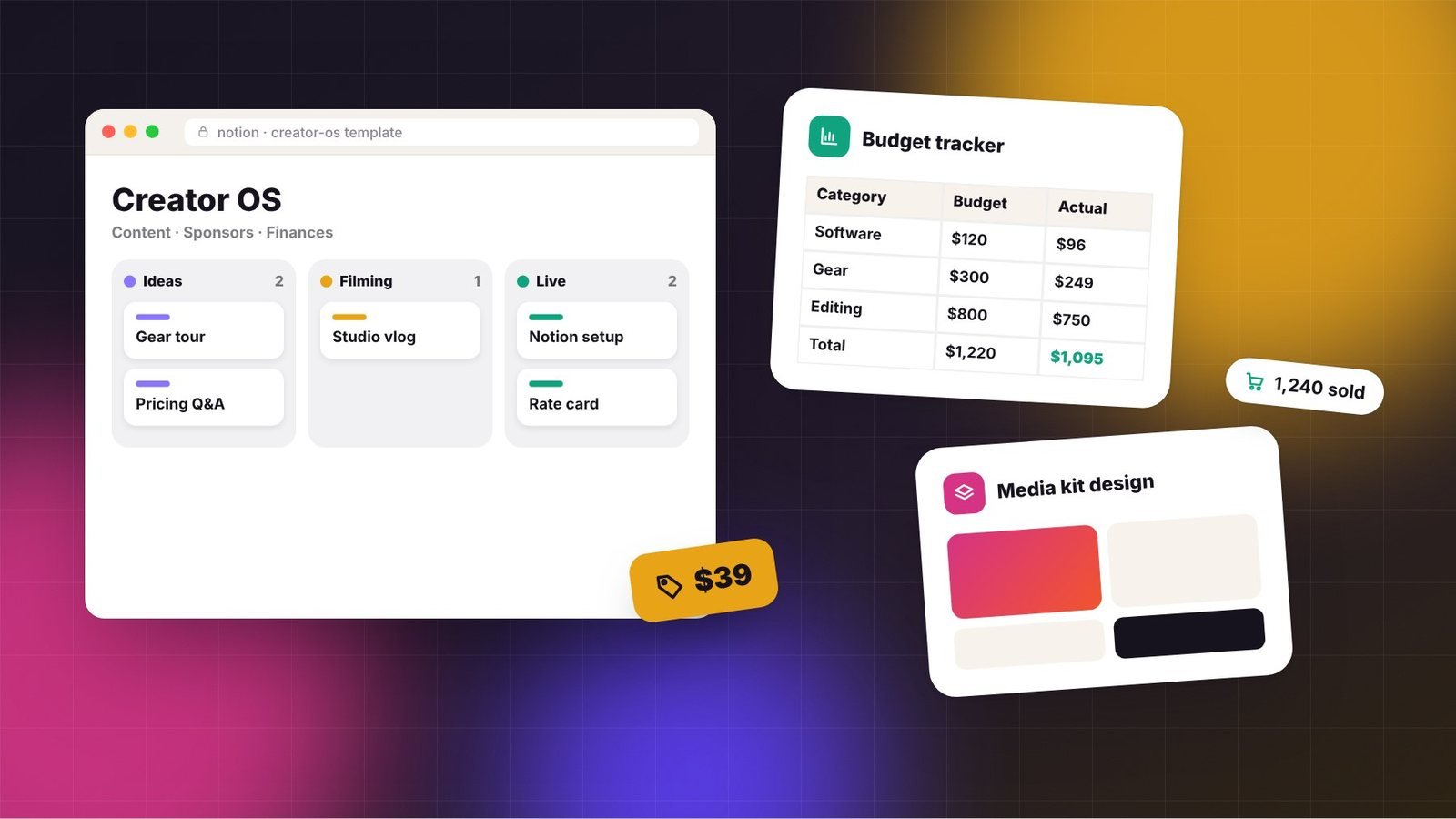
Templates are one of the most accessible digital products a creator can sell. They package your systems, such as how you plan content, track finances, manage clients, or design graphics, into something others can use immediately. They’re relatively quick to build, easy to update, and can sell steadily for years.
This playbook covers how to create templates people will pay for and how to sell them effectively.
Key takeaways
- The best templates solve a specific, recurring problem for a specific person.
- Presentation sells templates: clear previews, demo videos, and setup instructions matter.
- Free versions and content showing the template in action drive paid sales.
Popular template formats
- Notion templates: dashboards, content planners, client portals, habit trackers, and second-brain systems.
- Spreadsheets: budgets, pricing calculators, invoice trackers, and business dashboards in Google Sheets or Excel.
- Design templates: Canva or Figma social media kits, media kits, slide decks, and thumbnails.
- Documents: contracts (reviewed by a lawyer), proposals, SOPs, and email scripts.
- Creative assets: video editing presets, LUTs, sound packs, and photo presets.
Step 1: Start with your own system
The most compelling templates are systems you already use. Your audience has seen the results in your content, so the template feels like a shortcut to working like you. List the tools you’ve built for yourself and the questions people ask about how you stay organized.
Step 2: Make it specific
“Productivity template” competes with thousands of others. “Content planner for YouTube creators who batch-film monthly” speaks directly to a niche. Specific templates also command better prices because they feel built for the buyer.
Step 3: Build for the buyer, not for you
Your personal version probably has quirks only you understand. Before selling:
- Remove personal data and clean up naming.
- Add sample entries so buyers see how it works.
- Include a “Start here” page with setup steps.
- Keep it simple; too many features overwhelm buyers.
- Test it with a few people who have never seen it.
Record a short walkthrough video. It reduces support questions and improves conversions.
Step 4: Price it
| Template type | Common price range |
|---|---|
| Single-purpose template (tracker, checklist) | $5–$29 |
| Complete system (dashboard, business OS) | $29–$99 |
| Bundle of templates | $49–$199 |
| Template plus course or setup call | $99+ |
Ranges vary by niche. Templates for businesses and professionals tend to command higher prices than those for personal use.
Step 5: Choose where to sell
- Creator storefronts such as Gumroad, Lemon Squeezy, Payhip, or Stan handle checkout and delivery.
- Template marketplaces, including Notion’s template gallery and other niche marketplaces, add discovery but may take a cut or have listing requirements.
- Etsy has a large audience searching for printables and planners, though competition is heavy.
- Your own website gives you control and the best margins.
Many creators use a storefront for checkout and promote it through their own channels, then also list on marketplaces for extra discovery.
Step 6: Create a strong product page
- High-quality screenshots or mockups of each main view.
- A short demo video or GIF.
- A clear list of what’s included.
- Who it’s for and who it’s not for.
- Requirements, such as needing a free Notion account or a specific app version.
- Your refund policy and support contact.
Step 7: Market with content
Show the template in action in your regular content: a video of you planning your month, a post about how you track sponsorships, or a newsletter breaking down your system. Each piece demonstrates value and links to the template naturally.
Offering a free lite version as a lead magnet is a powerful strategy. People try the free version, see the value, and upgrade to the full system.
Protect and maintain your templates
- Include license terms in your product description, such as personal use only and no reselling.
- Update templates when apps change features, and notify buyers.
- Keep a simple FAQ to answer common setup questions.
For more on protecting your work, see our guide to copyright and trademark basics for creators.
Templates are a practical, low-risk way to turn your expertise into a product. Start with one system you use every week, polish it for others, and let your content do the selling.
Frequently asked questions
Can I sell Notion templates for free tools?
Yes. Many buyers use free Notion accounts, so templates that work on free plans reach a wider audience. Clearly state any requirements, such as paid features, on your product page.
How do I stop people from sharing my templates?
You can’t fully prevent sharing, but clear license terms, watermarked previews, and delivering templates through trusted platforms help. Focusing on support and updates also gives buyers a reason to purchase rather than copy.
Should I offer a free template?
A free lite version is a strong way to build your email list and show the quality of your paid templates. Make sure the paid version adds clear extra value.